
Customizing what Cutaway shows
Cutaway reads UIKit and Core Animation by itself. Your app knows more: what a custom view holds, the parts of a chart it draws itself, the names of its brand colors, which views hold sensitive content. CutawayServer’s extension interface lets you tell Cutaway.
| You register | Cutaway shows |
|---|---|
| Attribute groups for a class | An App section in the inspector, one sub-heading per group; editable if you give a set closure |
| Virtual nodes | Rows in the layer list with their own icon, dashed outlines in the preview, selectable and inspectable |
| Collapsed by default | The view’s row collapsed when an inspection starts |
| Excluded from capture | The view hatched in the preview, left out of every image |
| Color names | Your name for a color wherever an attribute has that color |
Safe to ship
The extension interface is compiled in every configuration, so you can call it without conditions of your own. In a build without the server (see Debug and Release builds), registering does nothing.
Describe a class
Everything starts with CutawayServer.describe(_:_:), for a UIView class or a CALayer class. The description applies to instances of the class and its subclasses:
import CutawayServer

@MainActor
func registerWithCutaway() {
    CutawayServer.describe(SalesChartView.self, CutawayServer.Description(
        attributes: { chart in [/* attribute groups, below */] },
        virtualChildren: { chart in [/* virtual nodes, below */] },
        isCollapsedByDefault: false,
        isExcludedFromCapture: false
    ))
}
Every field of Description is optional:
| Field | What it does |
|---|---|
attributes | Attribute groups of the instance, shown after Cutaway’s own |
virtualChildren | Parts of the interface the instance draws itself, shown as children of its layer, before its sublayers |
isCollapsedByDefault | Shows the instance collapsed at first, for example the inside of a complex control |
isExcludedFromCapture | Leaves the instance and everything inside it out of every image |
Register once, for example at launch next to CutawayServer.start(). A description takes effect from Cutaway’s next request; a later call for the same class replaces it.
The closures only read
attributes and virtualChildren are called on the main thread each time Cutaway reads what they give: for the hierarchy, for a node’s attributes, and once more after an edit, so that the answer shows the change. Within one request for details, a layer’s virtual children are asked for once, however many of its nodes the request names. What they return is dropped once the request is answered, except the identities of virtual nodes. They must only read: change the app in an attribute’s set closure, nowhere else.
When several descriptions apply to one layer (its class, its view’s class, and their superclasses):
- all their attribute groups are shown, the layer’s before the view’s, each from the superclass down;
- the virtual children come from the most specific description that has them, a view’s before a layer’s;
isCollapsedByDefaultorisExcludedFromCaptureset on any of them holds.
Add attributes
An attribute group has an ID, an optional title, and its attributes. Make each attribute with the function for its kind of value:
CutawayServer.Description<SalesChartView>(
    attributes: { chart in
        [
            CutawayServer.AttributeGroup("chart", title: "Chart", [
                .int("barCount", chart.bars.count, section: .content),
                .color("barColor", chart.barColor, section: .appearance, set: { color in
                    chart.barColor = color ?? .systemBlue
                })
            ])
        ]
    }
)
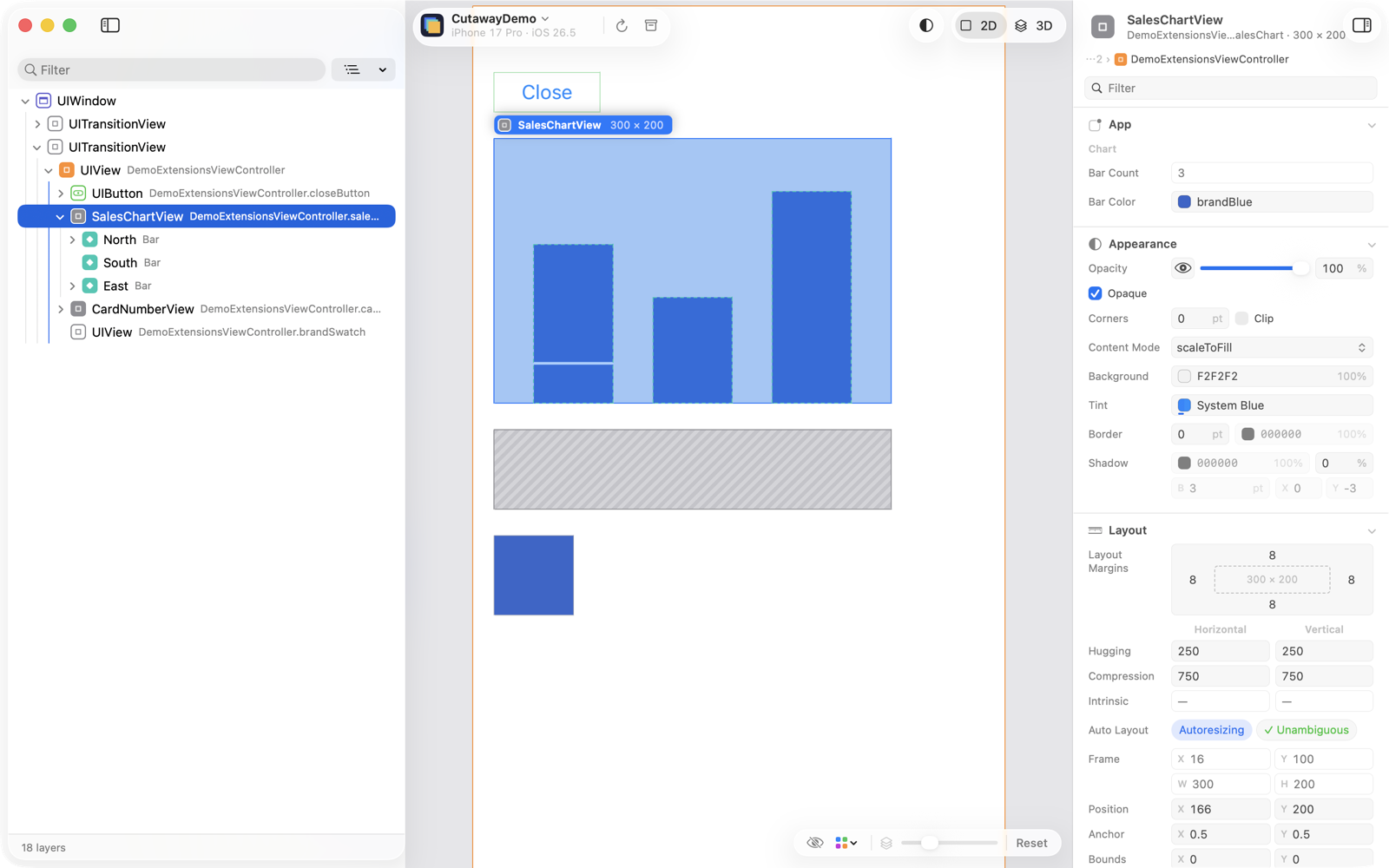
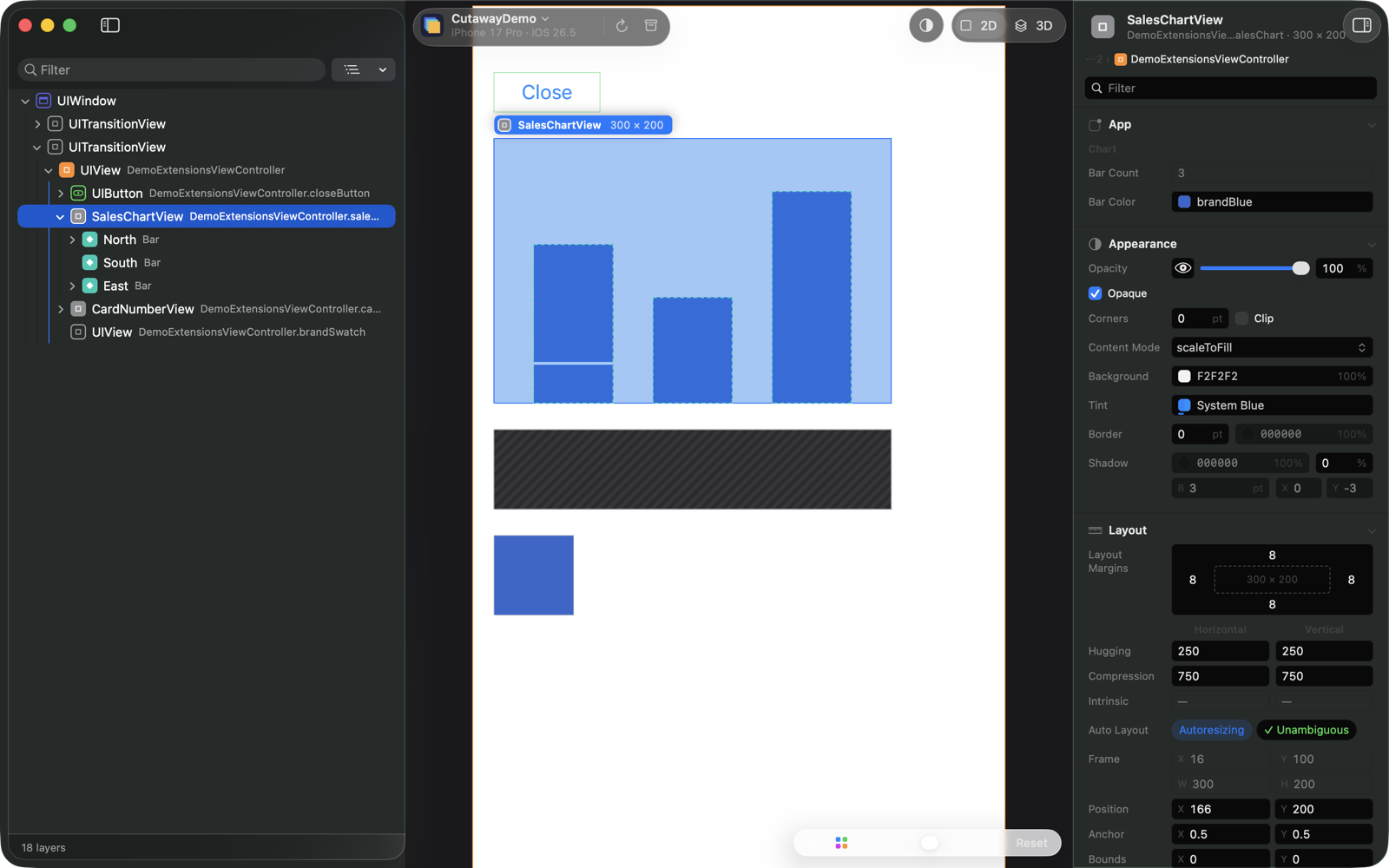
Cutaway shows every group your app adds in its own App section of the inspector, after Content, in the order the groups arrive, with each group’s title as a sub-heading. Filtering and folding work as in the other sections.
Kinds of value
| Function | Value |
|---|---|
.bool | Bool |
.int | Int |
.double | Double |
.string | String |
.color | UIColor; a dynamic color is shown as it resolves for the object, and in light and dark |
.point, .size, .rect | CGPoint, CGSize, CGRect |
.insets | UIEdgeInsets |
.transform | CATransform3D |
.enumeration | A Swift enumeration that is CaseIterable with integer raw values, each case shown by its name; or a list of (name, value) pairs for a value that is no Swift enumeration |
.references | The objects a property holds, in order; a view or a view controller can be selected from it. Always read-only |
Every value may be nil.
Options
Each function takes the attribute’s name and value first, then options that all have defaults:
| Option | Meaning |
|---|---|
title | The label in the inspector |
section | Where the attribute belongs: .general, .identity, .layout, .content, .appearance, .behavior or .accessibility |
unit | For numbers: .none, .points (lengths in points) or .fraction (a proportion where 1 is the whole, shown as a percentage) |
limits | The values a number may be set to: .atLeast, .greaterThan, .atMost, .lessThan, .between, or .free. One limit applies to every component; otherwise give one per component, in the order of its fields |
cluster | A compound row the attribute may be shown in, and its part in it: .font.size, .shadow.color, .sizing.huggingHorizontal and so on, one constant for each cluster and part in Cutaway’s protocol; .init(_:slot:) takes the names as strings |
inactiveBecauseOf | Another attribute of the same object, as "group.name", whose value now makes this one have no effect; Cutaway fades it |
acceptsNil | Whether set may be given nil |
set | Makes the attribute editable |
The types of these options are nested in CutawayServer.Attribute: CutawayServer.Attribute.Section, .Unit, .Limit and .Cluster. With the leading-dot forms above you never need to write them out.
Cutaway 1.2 shows every group your app adds in its App section, in the order you return them, whatever each attribute’s section. The section still travels with the attribute, as a hint for any client that sorts by purpose.
The group’s ID is sent as app. followed by it, and each attribute’s ID is the group’s, a dot, and the attribute’s name. Keep them stable. A group without a title gets one made from its ID.
Editing
An attribute with set can be edited in Cutaway like any other. Cutaway does not send a value outside the attribute’s limits, and set gets only a value that passed every check (its kind, its limits, nil only when acceptsNil), on the main thread.
To refuse a value, throw. The error’s description is shown in the inspector next to the value, and the previous value comes back:
struct TooTall: LocalizedError {
    let height: Double
    var errorDescription: String? { "a bar can be at most \(Int(height)) points tall" }
}

.double("value", bar.value, section: .content, unit: .points, limits: [.atLeast(0)], set: { value in
    guard let value, value <= chart.bounds.height else {
        throw TooTall(height: chart.bounds.height)
    }
    chart.bars[index].value = value
})
When set fails after changing part of the app, putting the app back is up to it.
Show what a view draws itself
A view that draws its content in draw(_:), such as a chart, is one layer to UIKit. Virtual nodes let Cutaway show its parts as nodes of the hierarchy that can be selected and inspected:
CutawayServer.Description<SalesChartView>(
    virtualChildren: { chart in
        chart.bars.indices.map { index in
            let bar = chart.bars[index]
            return CutawayServer.VirtualNode(
                id: bar.id,
                type: SalesChartView.Bar.self,
                name: bar.label,
                frame: chart.frameOfBar(at: index),
                attributes: [
                    CutawayServer.AttributeGroup("bar", [
                        .string("label", bar.label, section: .identity),
                        .double("value", bar.value, section: .content, unit: .points)
                    ])
                ]
            )
        }
    }
)| Parameter | Meaning |
|---|---|
id | What the node stands for, the same value every time: a model’s identifier rather than an index. Among the nodes of one layer an identity appears once; a node that repeats one is left out with its children. Cutaway keeps every identity until the connection ends or the layer is released, so use a value such as a String, an Int or a UUID, not an object |
type | The type of what the node stands for; Cutaway shows its name. Use typeName: with a string for a node that stands for no Swift type |
name | A short label, for example the bar’s category |
frame | In the coordinate space of the parent: the layer’s bounds, or the parent node’s frame with its origin at zero |
transform | Applied about the center of frame |
isHidden, opacity | As for a layer |
isCollapsedByDefault | Shows the node collapsed at first |
attributes | Shown when the node is selected; they may be edited like any other. The expression is evaluated only when Cutaway reads the node’s attributes, not for the hierarchy |
children | Nodes drawn inside this one |
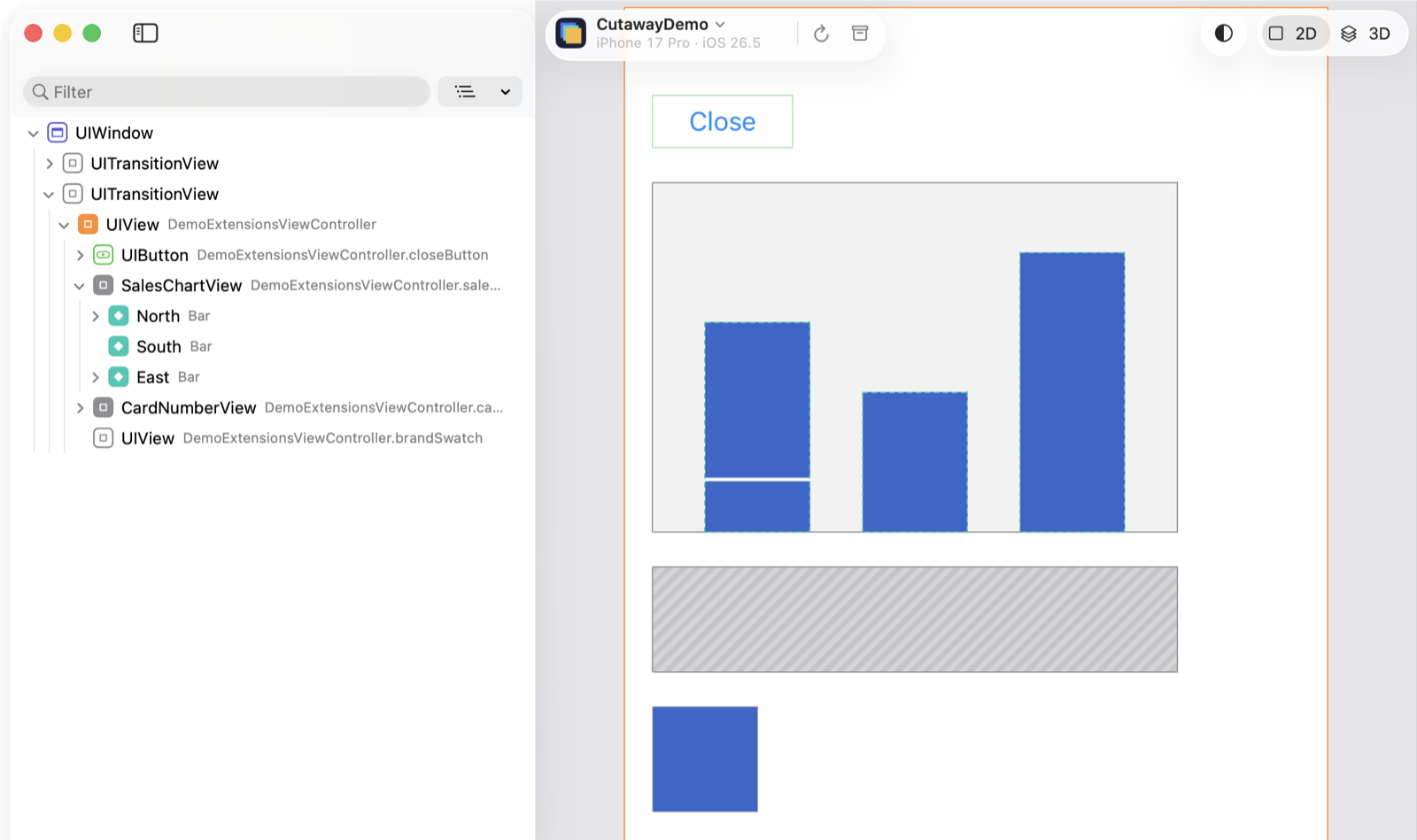
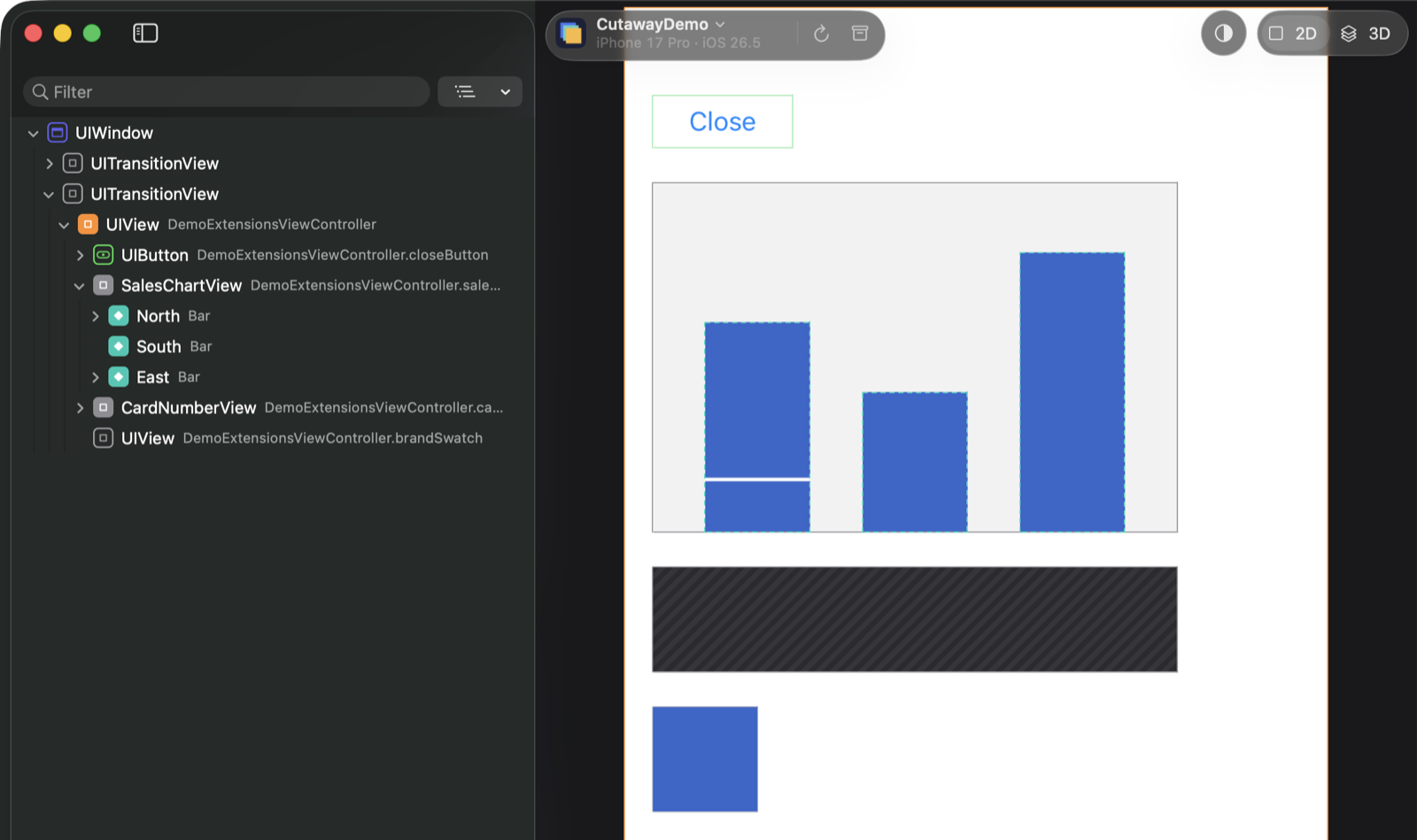
In Cutaway, a virtual node:
- is a row in the layer list under its layer, before the layer’s sublayers, titled by its
namewith the type in small text, and marked with its own icon; - is drawn as a dashed outline in the preview, with no image of its own: its appearance stays in the image of the layer that draws it;
- can be selected, searched by name and focused on, and its attributes edited. After an edit, Cutaway gets the images of the layer that draws it again;
- has no screenshot to export.
Collapse and exclude
// Shown collapsed when an inspection starts, with everything inside it.
CutawayServer.describe(FancyPickerView.self, CutawayServer.Description(isCollapsedByDefault: true))

// Never in an image: the card number stays on the device.
CutawayServer.describe(CardNumberView.self, CutawayServer.Description(isExcludedFromCapture: true))- Collapsed by default: when an inspection starts, the row is collapsed, and nothing below it is expanded. You can still expand it; Expand All and expanding to a depth expand it too.
- Excluded from capture: the view and everything inside it are left out of every image, for content that is sensitive, or slow or impossible to capture. Cutaway draws the area hatched, with its outline, does not count it in the screenshot progress, and does not offer to export it. Its attributes are still read.
Name your colors
CutawayServer.registerColor(UIColor(red: 0.2, green: 0.4, blue: 0.8, alpha: 1), named: "brandBlue")Wherever an attribute’s color is equal to a registered one, Cutaway shows your name for it; the tooltip still gives the hex value and any other name the color has. When several registered colors are equal, the first registered is used. Registering a name again replaces its color and keeps its place. A dynamic color is resolved with the traits of the view it is compared with, once for each set of traits within a request, and again in every later request.
A complete example
CutawayServer’s demo app has a page of these extensions: a chart that draws its bars itself, with a virtual node per bar and per segment of a bar, a card number left out of every image, and a registered color. See Demo/CutawayDemo/DemoExtensionsViewController.swift in the CutawayServer repository.